Survey options#
These options are stored on the Survey item itself and are edited in the survey’s edit form. They control how this single survey handles submissions, mails, validation, access, embedding and PDF output. Site-wide defaults live in the Global options.
Actions#
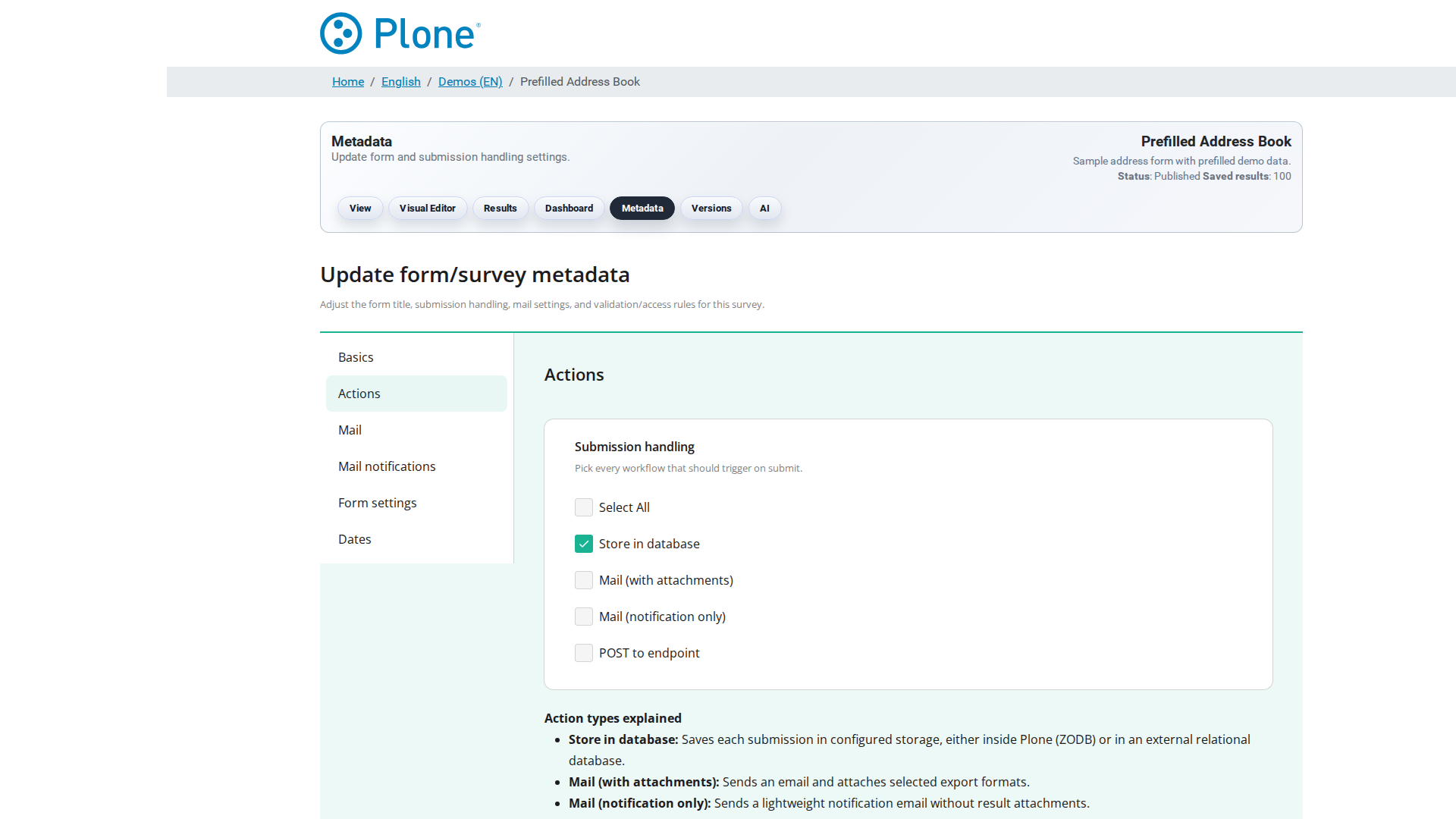
Field |
Type |
Default |
Description |
|---|---|---|---|
Actions |
Set |
|
Submission handling. Multiple options can be selected at once; every selected action runs for each accepted submission. Available options:
Example: |
POST endpoint URL |
URI |
empty |
The HTTP(S) endpoint that receives the submission payload when the
{
  "poll": { ...submission fields..., "poll_id": "…", "created": "…" },
  "form": { ...latest survey JSON schema... },
  "survey_url": "https://example.org/demo/survey-1"
}
The request uses a 10 second timeout; delivery failures are logged and
do not block the submission from being stored. If no endpoint is
configured, the |
Mail#
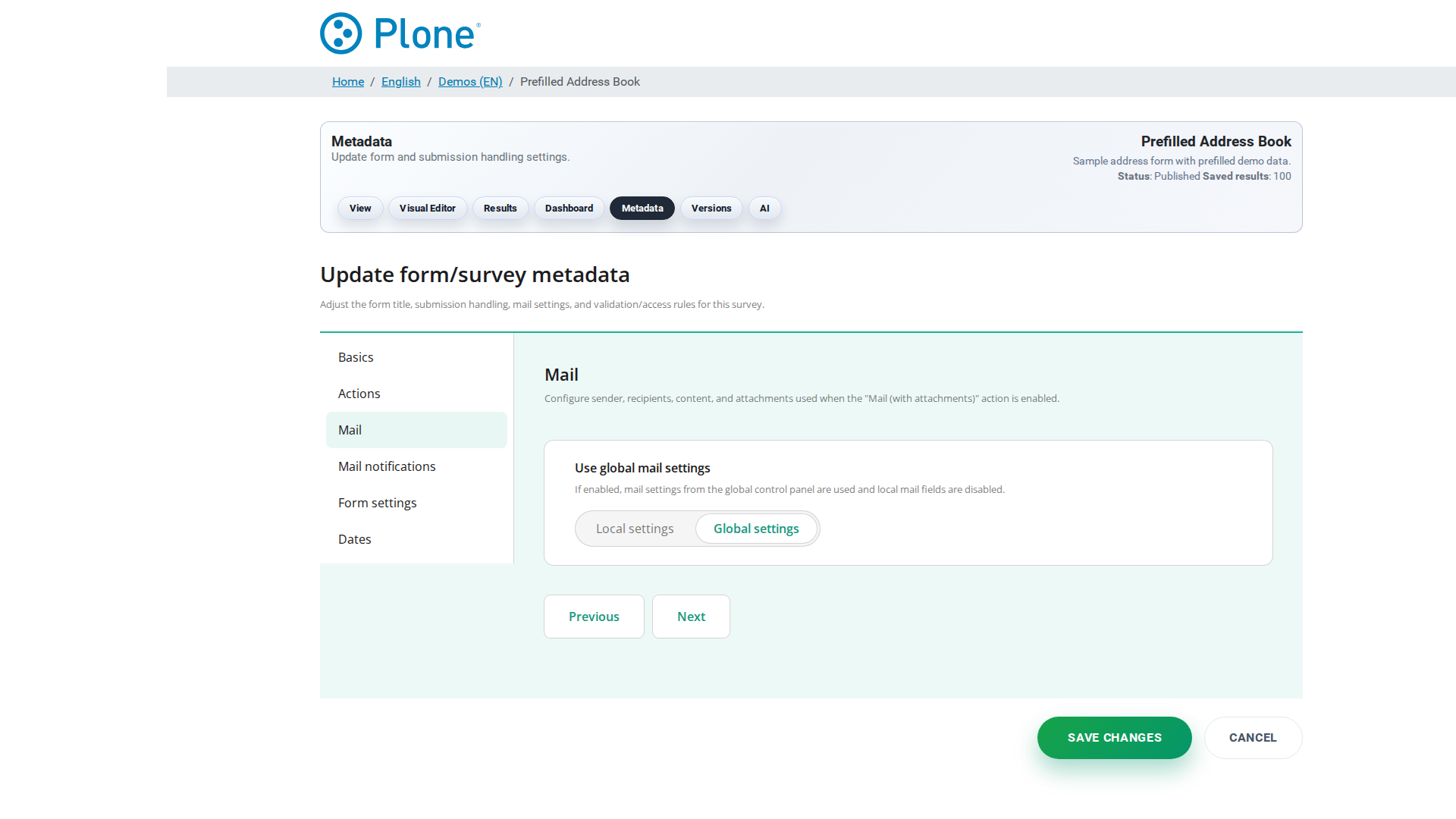
Field |
Type |
Default |
Description |
|---|---|---|---|
E-Mail sender |
Text |
empty |
Sender address for outgoing mail (e.g. |
E-Mail recipient |
Text |
empty |
Primary recipient for result exports and notifications. A single
address; use E-Mail CC / E-Mail BCC for additional recipients.
Mandatory when the |
Subject |
Text |
empty |
Subject line for result export e-mails. May contain the placeholder
|
E-Mail CC |
List |
empty |
CC recipients for result exports. One address per line. Useful to keep stakeholders informed without making them the primary recipient. |
E-Mail BCC |
List |
empty |
BCC recipients for result exports. One address per line. BCC keeps the recipient list invisible to the other recipients, which is useful when mailing to a larger or external audience. |
Formats |
Set |
empty |
Export formats attached to result e-mails. Available formats: |
Body |
Text |
empty |
Body text of the result export e-mail. Supports the placeholders
|
Mail notifications#
The Mail notifications fieldset configures the notification e-mail that is
sent when the mail-notification action is selected. Unlike the mail
action, no result attachments are included — this is meant for lightweight
“something was submitted” notifications.
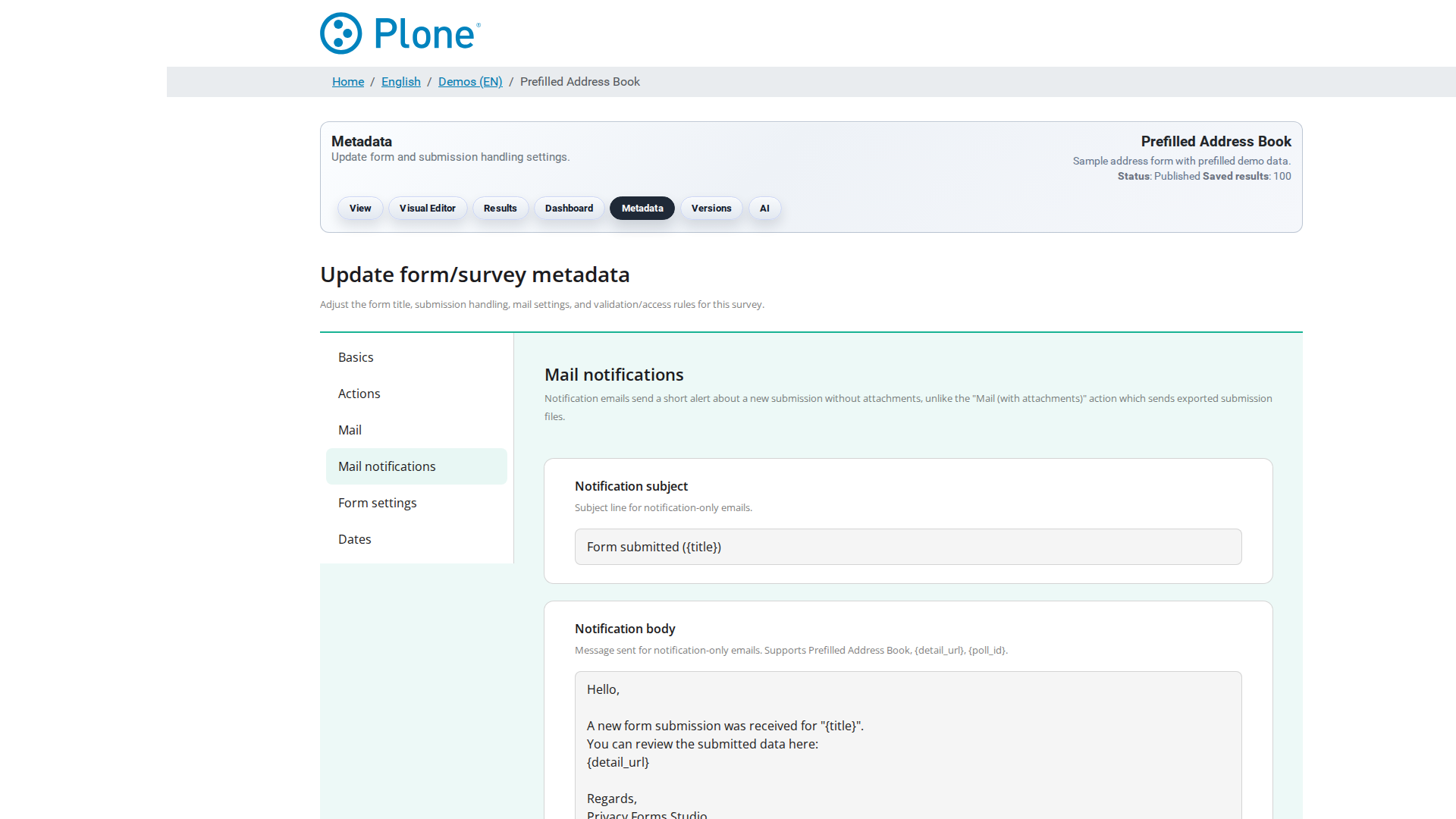
Field |
Type |
Default |
Description |
|---|---|---|---|
Subject for notifications |
Text |
|
Subject line of the notification e-mail. Supports the placeholders
|
Body for notifications |
Text |
See default template |
Body text of the notification e-mail. Supports |
Form Settings#
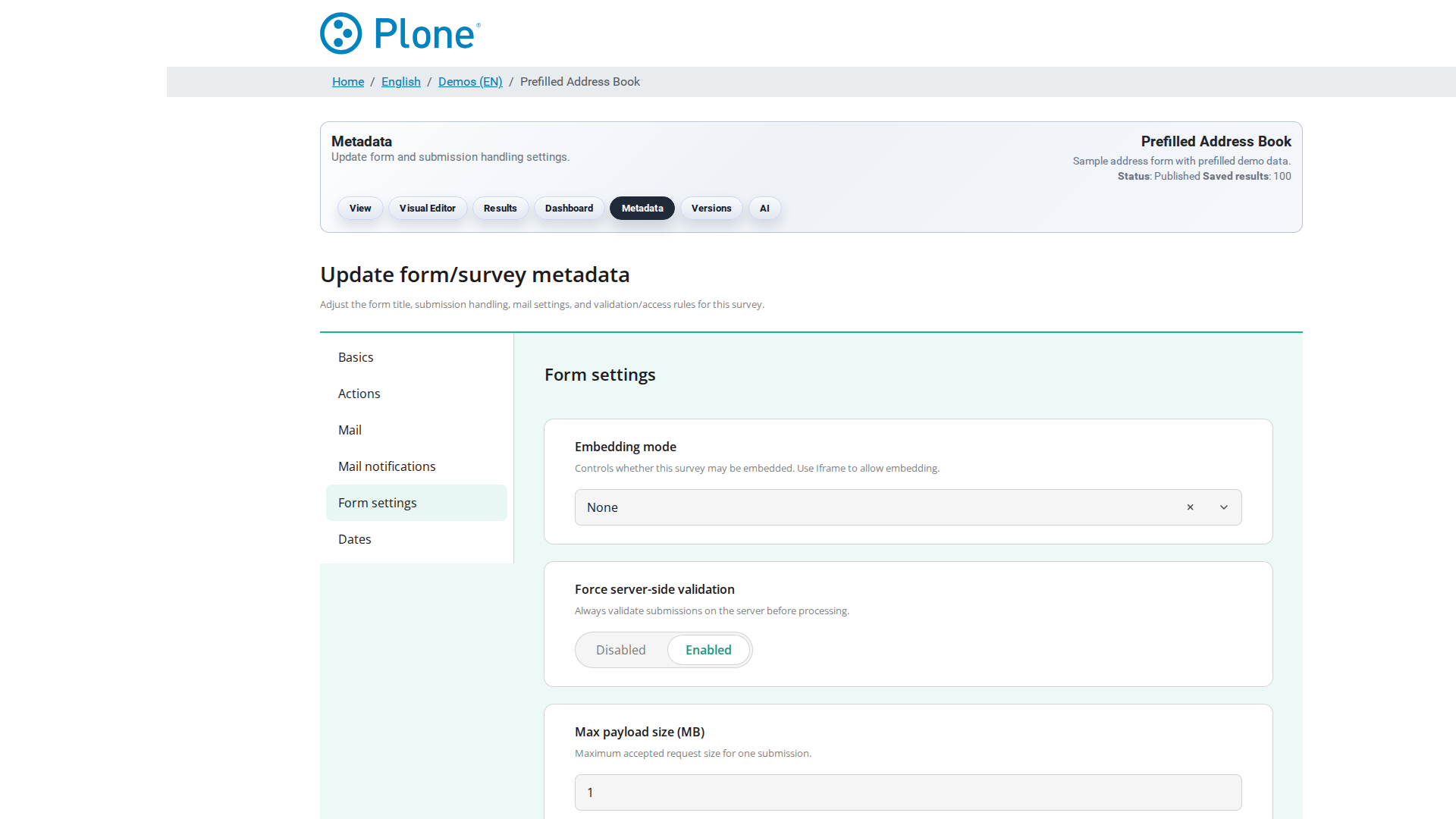
Field |
Type |
Default |
Description |
|---|---|---|---|
Force Server Side Validation |
Bool |
|
When enabled (default), every save/submit runs the external SurveyJS
validator binary (a Deno-based validator, see |
Max size payload (MB) |
Int |
|
Maximum accepted submission payload size in megabytes. Submissions larger than this limit are rejected. The minimum value is 1 MB. Increase this for surveys with large file uploads or long text answers; keep it low to protect against oversized or malicious payloads. |
Access mode |
Choice |
|
Controls who may view and submit this form. Three modes:
|
Trusted access token TTL (hours) |
Int |
|
Lifetime of cached trusted access tokens ( |
Access modes#
The Access mode field decides who may view and submit this survey. It
is enforced at two points: when the survey form is loaded
(get-form-json) and when a submission is saved (save-poll). When
the mode requires a token, requests without a valid one are rejected with
a JSON error before any validation or storage happens.
The access mode is not the only gate: in restricted modes a submission must additionally pass the authenticity-token check (anti-CSRF / replay protection, see Security). Editors and Managers bypass the access mode checks entirely so they can preview and test surveys. Direct DOM embed submissions are governed by the embedding token stack instead of the access mode (see Embedding above).
public#
Anyone who has the URL can view and submit the form. No token is required, nothing is tracked or consumed. Use this for open surveys, feedback forms and event registration.
trusted — Trusted access token#
A single reusable access token gates the survey for a known group of people, without creating accounts for them.
Token generation. Tokens are minted in the viewer’s “Trusted access
link” panel (@@trusted-access-token view, Editor permission). Every
call generates a fresh random token (secrets.token_urlsafe(16)).
Token storage. Tokens live in the same diskcache that backs
authenticity-token replay tracking, under a trusted:<token> key,
together with metadata: form id, form version, issue time, expiry time
and state (ISSUED / REVOKED). The cache entry expires when the
token does.
Lifetime. trusted_access_ttl_hours (default 168 = 7 days,
minimum 1). The token is valid until the TTL expires; afterwards a new
token must be generated. Short TTLs shrink the abuse window of a leaked
link, long TTLs reduce the operational overhead of handing out new
links.
Transport. The token travels as a URL parameter, tt or
access_token; the viewer accepts both and prefers tt.
Validation. Every request checks that the cache is reachable, that the token exists, has not been revoked and belongs to this survey. Failures:
503 trusted_access_cache_unavailable— the token cache is down; the check is fail-closed for the cache itself.403 trusted_access_token_invalid— unknown or expired token.403 trusted_access_token_revoked— token was revoked by an editor.403 trusted_access_form_mismatch— token was issued for a different survey.
Consumption. The token is not consumed on submission: it stays valid until the TTL expires or an editor revokes it. One link can be shared by the whole group.
Version binding. The metadata records the form version, but validation only checks the form id; binding submissions to a specific form version is the job of the authenticity token, not of the trusted access token.
trusted-tokens — Single-use tokens#
Each token grants exactly one successful submission. Use this for one-time invitations, vouchers and “vote exactly once” flows.
Token generation. Tokens are managed in the @@token-store view
(Manager permission): batch generation, CSV import/export and usage
statistics. Tokens are 32-character URL-safe values
(secrets.token_urlsafe(24)).
Token storage. Per survey, via the ITokenStore adapter. Two backends exist:
ZODB — per-survey annotations (an OOBTree of token records), stored transactionally with the survey.
SQL — the same interface against the SQL database, with extended audit logging (user, IP, reason).
Both backends keep tokens strictly per survey: a token generated for one survey cannot be used on another.
Lifetime. No TTL. A token stays valid until it is consumed by a successful submission or invalidated manually.
Validation. has_token — the token must exist and be unused.
Failures:
503 trusted_tokens_store_unavailable— token store adapter unavailable.403 trusted_tokens_token_invalid— unknown or already used token.
Consumption. A token is not consumed by validation. It is
consumed only after the entire submission pipeline (validation, storage)
has succeeded, with reason user_submission. Consequences:
A failed submission (client-side or server-side validation error) does not burn the token — the recipient can retry.
After a successful submission the token is spent; reusing it yields
403 trusted_tokens_token_invalid(replay protection).
Choosing a mode#
Mode |
Access |
Token source |
Reusable? |
TTL |
Typical use |
|---|---|---|---|---|---|
|
anyone with the URL |
— |
— |
— |
open surveys |
|
one shared token |
viewer “Trusted access link” panel |
yes, until expiry or revocation |
168 h default |
closed groups, shared links |
|
one token per recipient |
|
no, single use |
none (until used or revoked) |
invitations, exactly-once flows |
For restricted surveys, combine the access mode with
force_server_side_validation (on by default) so a token holder cannot
submit tampered payloads, and keep max_payload_size_mb low to bound
resource usage. See Security for the threat model behind these
mechanisms.
Survey languages#
Field |
Type |
Default |
Description |
|---|---|---|---|
Survey languages |
List |
empty |
The languages this survey may be displayed in (language codes with
English labels, e.g. |
Embedding#
Field |
Type |
Default |
Description |
|---|---|---|---|
Embedding mode |
Choice |
|
Whether this survey may be embedded in external websites:
|
Allowed origins for direct embedding |
List |
empty |
Origins allowed to embed this survey via Direct DOM. Format:
|
Embed token TTL (seconds) |
Int |
|
Lifetime of embedding tokens in seconds (range 60–3600). An embed token authorizes the embedding page to load the survey; after the TTL expires a new token must be issued. Shorter values are safer, longer values reduce token churn on frequently visited pages. |
PDF Form / Fillable PDF#
Field |
Type |
Default |
Description |
|---|---|---|---|
Fillable PDF form |
File |
empty |
Upload a fillable PDF form to enable the PDF-based form workflow for this survey: visitors can download the PDF, fill it out, and submit it; the submission is then processed like a normal survey submission. Leave empty to run the survey as a regular online form. |
Fillable PDF template |
File |
empty |
Upload a fillable PDF template that is used by the “fillable PDF”
feature: the template is offered for download and can be filled in
the browser ( |